EMIS TN School Gov In Login: One of the most significant steps for the Digital Transformation of Tamil Nadu Schools is the creation of the EMIS (Educational Management Information System) portal. EMIS is accessible through emis.tnschools.gov.in. This platform has become the central digital backbone for school data management across the state. This article provides a Detailed guide to accessing and using the EMIS portal, the platform’s purpose, who can log in, the benefits, and how job applicants can leverage EMIS data for career advancement.
What is EMIS TNschools?
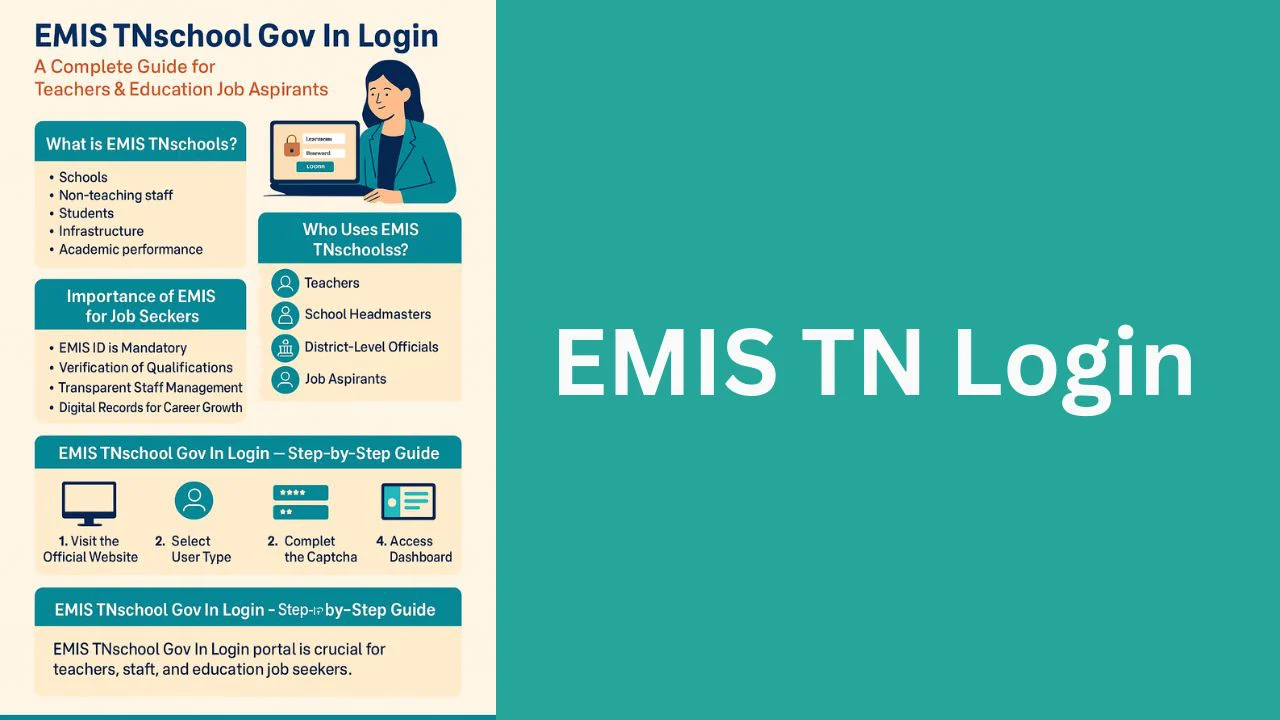
EMIS (Educational Management Information System) is a government-developed portal designed to store and manage information about:
- Schools
- Teachers
- Non-teaching staff
- Students
- Infrastructure
- Academic performance
- Attendance records
The system ensures that all education-related data in Tamil Nadu remains centralized, accurate, and updated in real-time.
Who Uses EMIS TNschools?
The portal is used by multiple stakeholders in the Tamil Nadu education ecosystem:
1. Teachers
Teachers log in to update personal details, training certificates, attendance, and performance metrics.
2. School Headmasters
Headmasters are responsible for approving teacher profiles, updating school data, and monitoring academic activities.
3. District-Level Officials
Officials use EMIS for district-wide educational planning and staff allocation.
4. Students
Although students do not directly log in, their academic and attendance data are maintained through EMIS.
5. Job Aspirants
Those applying for teaching roles in Tamil Nadu benefit indirectly from EMIS because:
- Teacher records and vacancies are tracked through EMIS.
- Data validation is done via EMIS IDs.
- Deployment and transfers use EMIS documentation.
EMIS TNschool Gov In Login Step-by-Step Guide
Here is a clear explanation of how to log in to the EMIS portal.
Step 1: Visit the Official Website
Open your browser and go to:
emis.tnschools.gov.in
You will be directed to the EMIS dashboard’s main login page.
Step 2: Select the User Type
The portal offers different login options based on the role:
- School Headmaster
- Teacher
- Block-level officer
- District officer
- Administrator
Choose the appropriate category to proceed.
Step 3: Enter Your EMIS ID and Password
Teachers and staff must enter:
EMIS Username (usually your EMIS number)
Password provided by the school admin or set by the user
If you are a teacher, your Headmaster typically creates your initial login.
Step 4: Complete the Captcha
Enter the verification code displayed on the screen to proceed.
Step 5: Access the Dashboard
Once logged in, you will see your personalized dashboard, which contains:
- Personal profile
- Attendance records
- Training modules
- School information
- Performance indicators
Teachers can also edit certain fields and submit updates for approval.
How to Reset EMIS Password
In case you forget your password, follow these steps:
Visit the login page.
Click on “Forgot Password”.
Provide your registered mobile number or email.
A reset link or OTP will be sent.
Create a new password and log in again.
If the portal denies access, contact the school’s EMIS coordinator or Headmaster for password recovery.
Common Problems During EMIS Login and Their Solutions
Here are a few frequent issues and their fixes:
1. Invalid User Error
This usually happens when login credentials are incorrect.
Solution: Contact your school’s EMIS coordinator to verify your username.
2. Password Not Working
Your password may have expired or been reset.
Solution: Use the “Forgot Password” option.
3. Server Issues
Sometimes the website is down due to maintenance.
Solution: Try again later or use a different browser.
4. Data Not Updating
Changes may require the headmaster’s approval.
Solution: Submit updates and wait for verification.